Getting Started
This guide walks you through your first PartiNet analysis using the three-stage pipeline. We'll process cryo-EM micrographs from start to finish.
The GUI is the easiest way to get started — no command-line experience needed. Launch it with partinet gui and run all three stages from your browser.
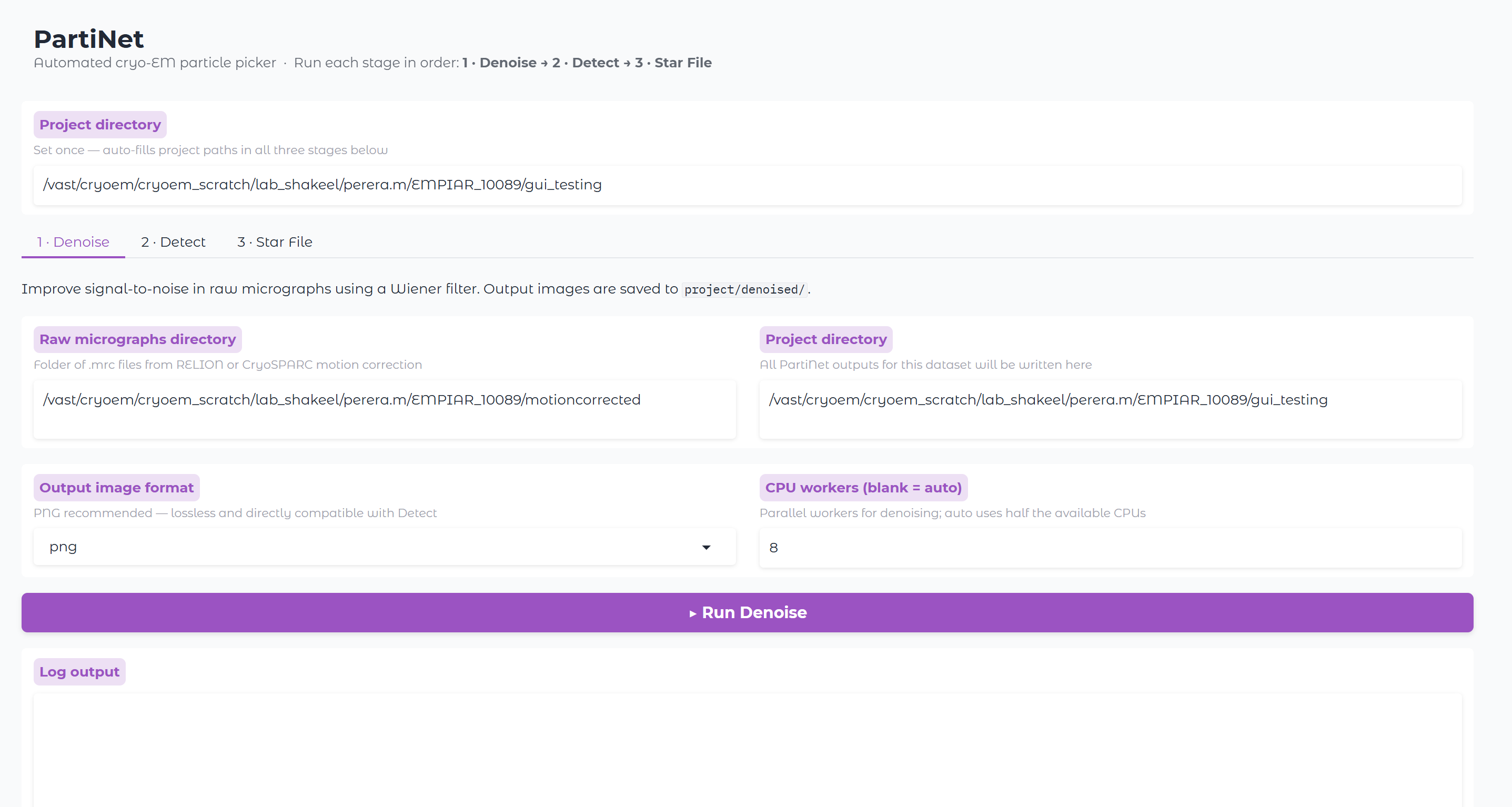
The CLI walkthrough below is for users who prefer scripting, are working in containers, or need to run PartiNet on an HPC cluster.
Prerequisites
Before starting, ensure you have:
- PartiNet installed (see Installation)
- Motion-corrected micrographs in a source directory
- A project directory where outputs will be saved
- GPU access for optimal performance
Directory Structure
PartiNet expects and creates the following directory structure:
project_directory/
├── motion_corrected/          # Your soft-linked input micrographs
│   ├── micrograph1.mrc
│   ├── micrograph2.mrc
│   └── ...
├── denoised/                  # Created by denoise stage (default: .png)
│   ├── micrograph1.png
│   ├── micrograph2.png
│   └── ...
├── exp/                       # Created by detect stage
│   ├── labels/               # Detection coordinates (YOLO format)
│   │   ├── micrograph1.txt
│   │   ├── micrograph2.txt
│   │   └── ...
│   ├── micrograph1.png       # Micrographs with detections drawn
│   ├── micrograph2.png
│   └── ...
└── partinet_particles.star   # CryoSPARC-style STAR file (created by star stage)
Pipeline Flow:
- Input →
motion_corrected/(your micrographs) - Stage 1 →
denoised/(cleaned micrographs, PNG by default) - Stage 2 →
exp*/(detections + visualizations) - Stage 3 →
*.star(final particle coordinates)
See Detect — skip denoise if picking directly on raw MRC without denoising.
Stage 1: Denoise
The first stage removes noise from your micrographs and improves signal-to-noise ratios:
partinet denoise \
    --source /data/partinet_picking/motion_corrected \
    --project /data/partinet_picking
What this does:
- Reads micrographs from
motion_corrected/directory - Applies denoising algorithms
- Saves cleaned micrographs to
denoised/directory in your project folder
Stage 2: Detect
The detection stage identifies particles in your denoised micrographs:
partinet detect \
    --weight /path/to/downloaded/model_weights.pt \
    --source /data/partinet_picking/denoised \
    --device 0,1,2,3 \
    --project /data/partinet_picking
What this creates:
exp/directory in your project folderexp/labels/directory containing detection coordinates for each micrograph- Micrographs with detection boxes drawn on top (saved in
exp/)
Key parameters:
--backbone-detector: Neural network architecture to use--weight: Path to trained model weights--conf-thres: Confidence threshold for detections (0.0 = accept all)--iou-thres: Intersection over Union threshold for filtering overlapping detections--device: GPU devices to use (0,1,2,3 = use 4 GPUs)
Stage 3: Star
The final stage converts detections to STAR format and applies confidence filtering:
partinet star \
    --labels /data/partinet_picking/exp/labels \
    --images /data/partinet_picking/denoised \
    --output /data/partinet_picking/partinet_particles.star \
    --conf 0.1
What this does:
- Reads detection labels from
exp/labels/ - Filters particles based on confidence threshold (0.1 in this example)
- Creates a STAR file ready for further processing in RELION or other software
Output Files
After running all three stages, you'll have:
- Denoised micrographs (
denoised/) - Cleaned input for particle detection - Detection visualizations (
exp/*.png) - Micrographs with particle boxes drawn - Detection coordinates (
exp/labels/*.txt) - Raw detection data - STAR file (
*.star) - Final particle coordinates ready for downstream processing
Next Steps
Troubleshooting
If you encounter issues:
- Ensure all paths exist and are accessible
- Check GPU availability with
nvidia-smi - Verify container mounting with
-Bflags includes all necessary paths